Step 1: Log in to Your WordPress Dashboard
-
Go to your WordPress login page by typing
/wp-adminat the end of your website’s URL (e.g.,https://yourwebsite.com/wp-admin). -
Enter your username/email and password, then click Log In.

Step 2: Navigate to Pages
-
Once logged in, go to the Dashboard.
-
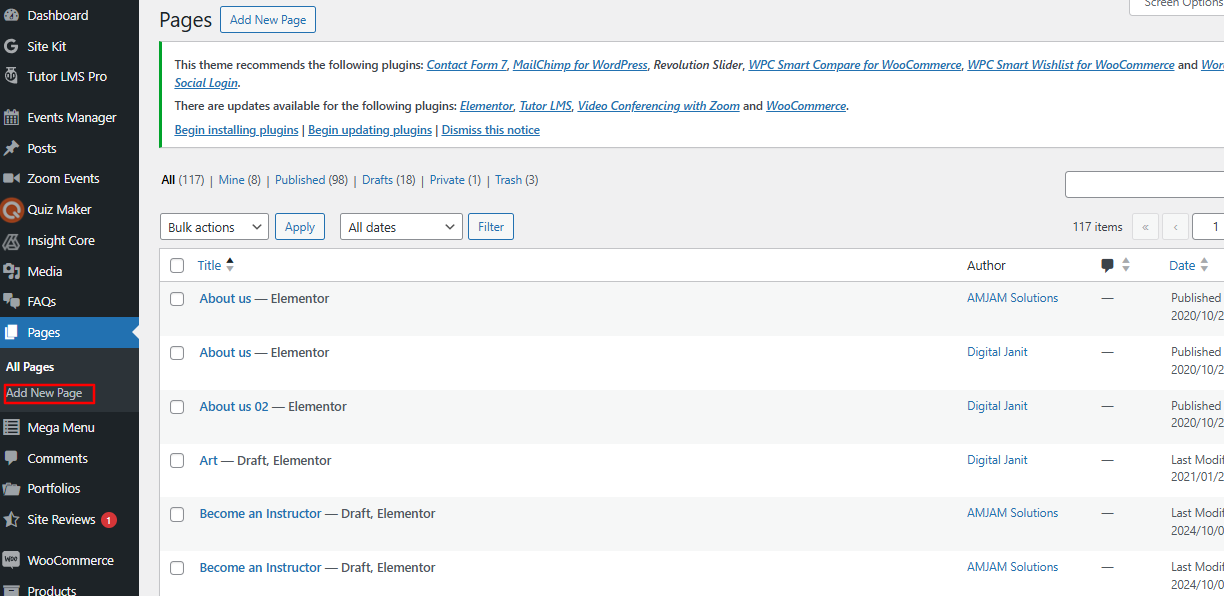
In the left-hand menu, hover over Pages and click on Add New.
Step 3: Add a Title for Your Page
-
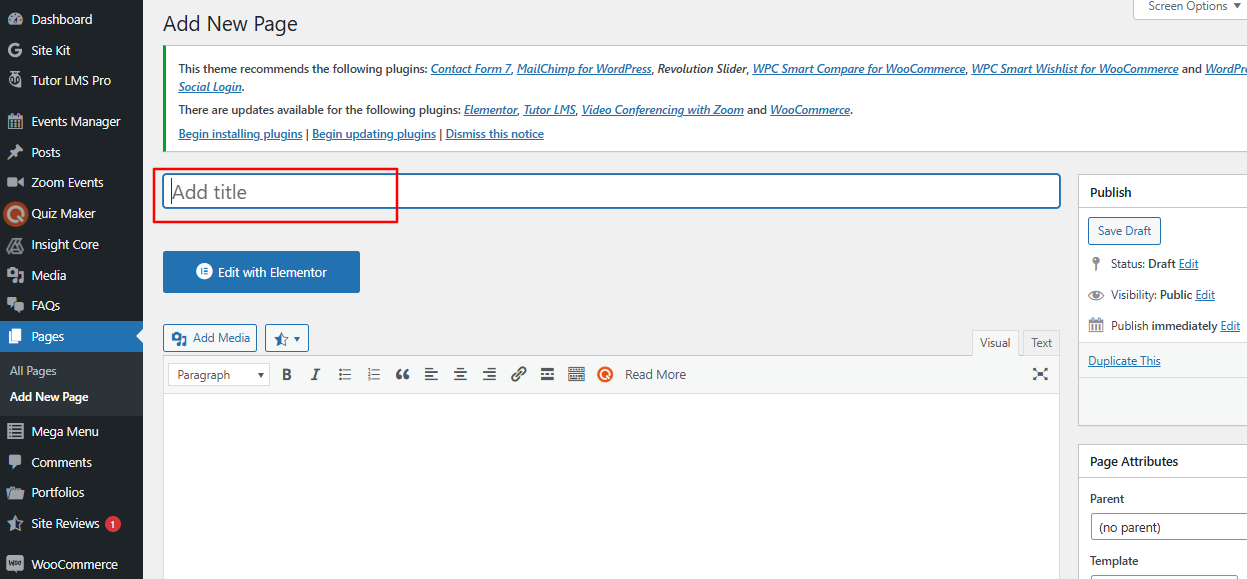
At the top of the page, you’ll see a field labeled “Add title.”
-
Enter the title of your page here.
Step 4: Add Content to Your Page
-
Below the title, you’ll see a block editor where you can start typing your content.
-
Each paragraph, image, or heading is a separate block.
-
Use the + button to add new blocks for text, images, lists, or other content types.
Step 5: Add Images to Your Page
-
To add an image:
-
Click the + button and select Image.
-
Upload an image from your computer, choose one from the media library, or insert an image via URL.
-
Once added, you can resize the image, add captions, and align it as needed.
Step 6: Publish Your Page
-
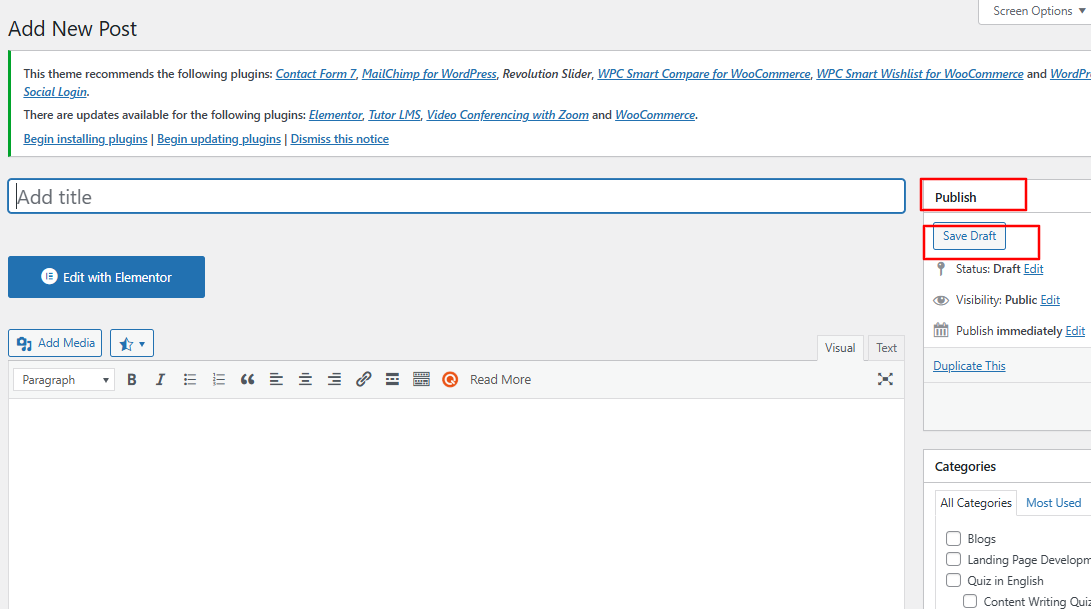
Once you’re satisfied with your page, click the Publish button.
-
Confirm the action in the dialog box by clicking Publish again.
Additional Tips
-
Save Draft: If you’re not ready to publish, click the Save Draft button to save your progress.
-
Schedule Pages: Use the settings under the Publish button to schedule your page for a specific date and time.
-
Revisions: If you need to make edits later, go to Pages > All Pages, find your page, and click Edit.
Free downloads
Found this useful? Get our free cheatsheets
SEO cheatsheet, Google Business checklist and a full course guide. Enter your WhatsApp number to download them instantly.