Step 1: On the login page, click the “Forgot your password?” button. / Or you can go directly to the Forgot Password page.
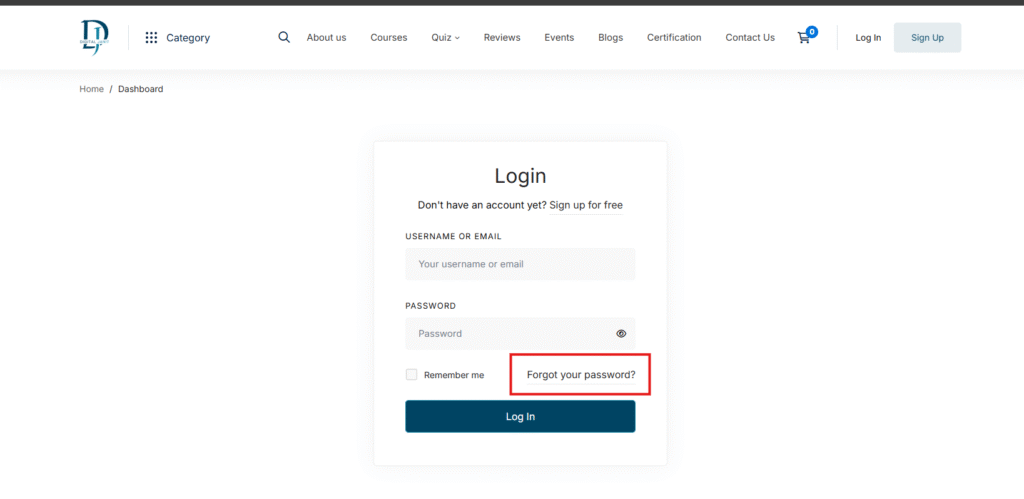
Step 2: You will see the forget password page. Type your email and then click the Forget Password button.
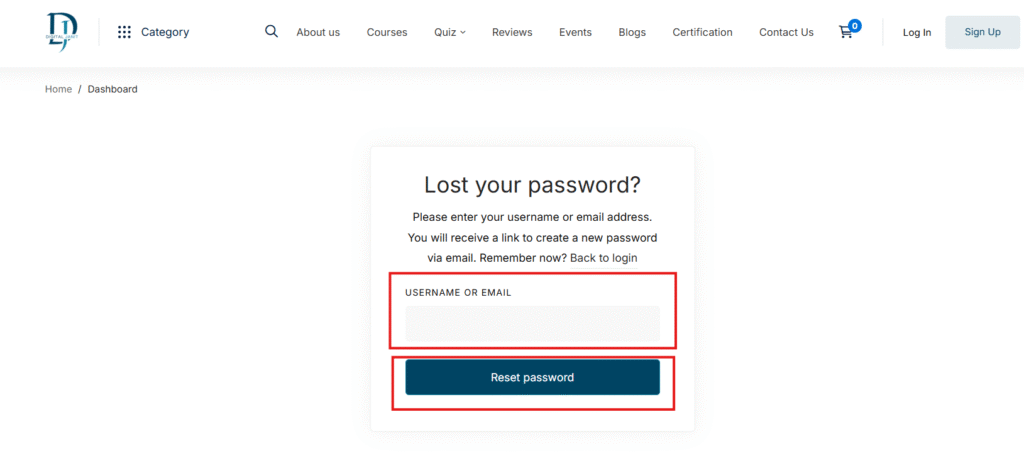
Step 3: After clicking on reset password, you will receive an email. In that email, you will find the password reset link.

Step 4: Click on the link in the email, then enter your new password in both the Password and Confirm Password fields. After that, click the Reset Password button.

All done! Now go to the login page, enter your credentials, and start exploring your account.
Free downloads
Found this useful? Get our free cheatsheets
SEO cheatsheet, Google Business checklist and a full course guide. Enter your WhatsApp number to download them instantly.