Step 1: Log in to the website and click on Enrolled Courses. Then click Start Learning to reach the course and lesson section. Follow the steps from there.

Step 2: Start watching the lesson. Once you complete it, click on Mark as Complete. Repeat this for all lessons.

Step 3: If you have completed all the lessons, go to your enrolled courses page and click on the course you are enrolled in. You will then see the course page.
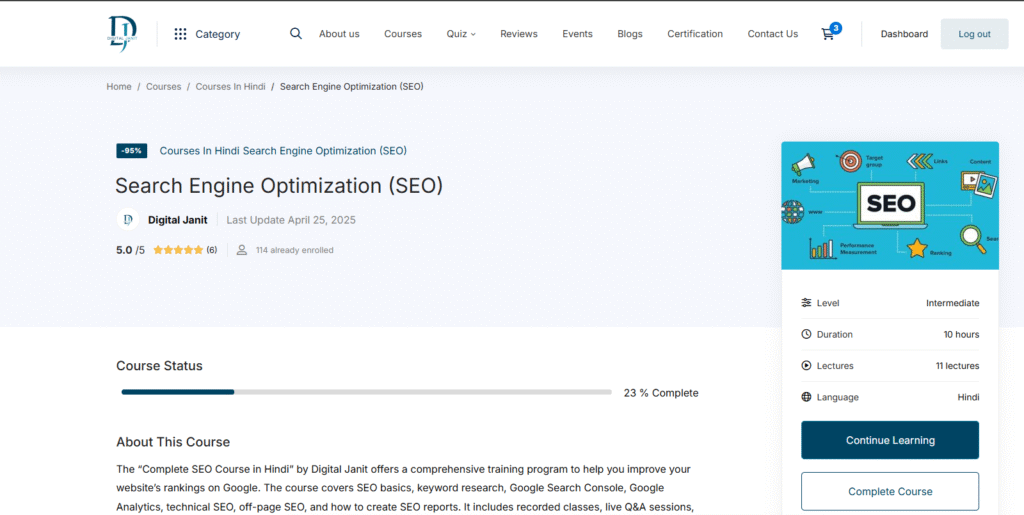
Step 4: Once you are on the course page, click the Complete Course button.

Step 5: Once you click the Complete Course button, the View Certificate button will appear.
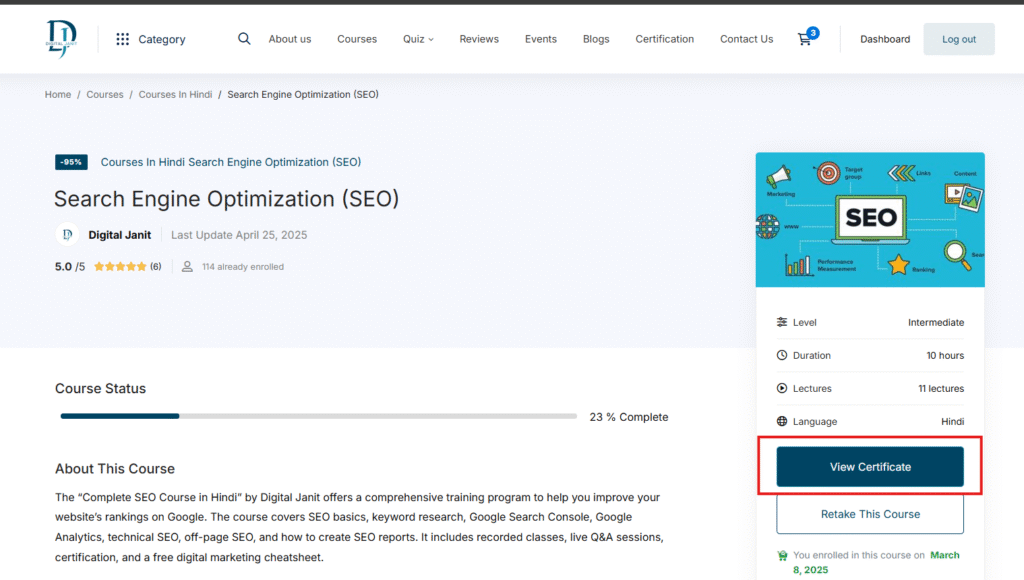
Step 6: Once you click on the View Certificate button, you will be redirected to the certificate page.

To download your certificate, make sure you have completed all the lessons in your course and marked them as complete. Then go to your enrolled courses, click on the course, and press the Complete Course button. After that, the View Certificate button will appear. Click it, and you will be redirected to the certificate page where you can download your certificate.
Congratulations on completing your course! 🎉
Found this useful? Get our free cheatsheets
SEO cheatsheet, Google Business checklist and a full course guide. Enter your WhatsApp number to download them instantly.